For habits you are moderating, not quitting
Mindful tracking for casual slips.
Streak apps punish you the day you break one. reLapse does the opposite: it quietly records when something happened, then shows you the intervals and patterns underneath. An unvarnished mirror, not a scoreboard.

iOS 15 and later · Android 7.0 and later · Free to use, no account required
How it works
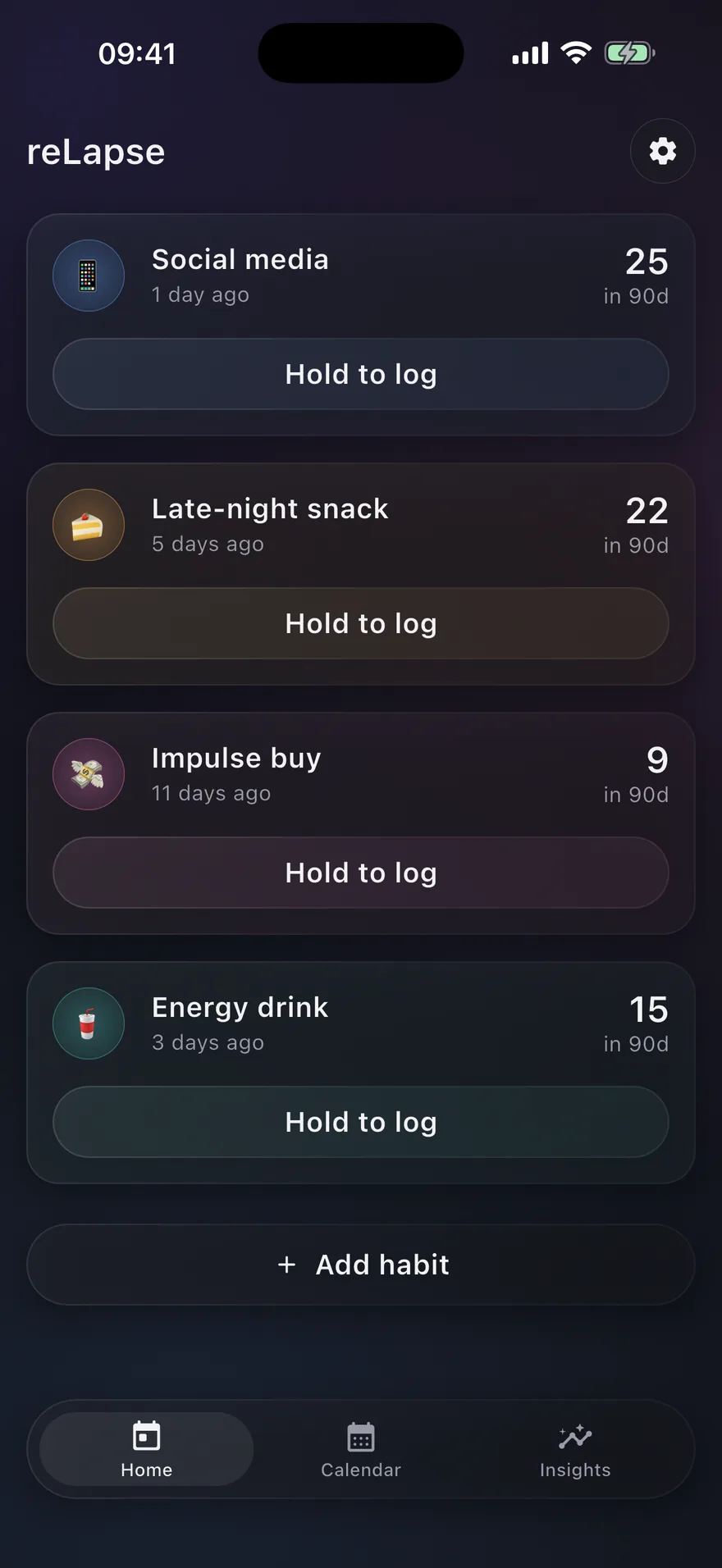
Log it in two seconds, then forget about it.
The whole point is that recording something costs you almost nothing and judges you not at all. What you get back is the shape of your own behaviour over months, which is the part you cannot see from inside it.
Hold to log
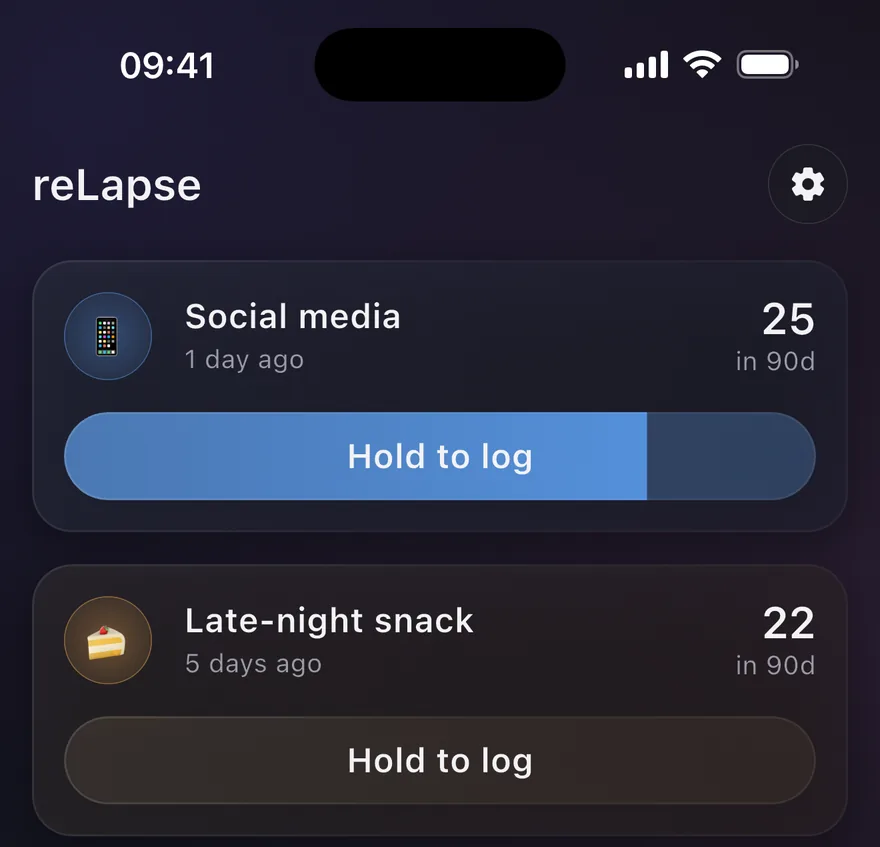
Press and hold for half a second. The button fills, the haptics build, and the entry is written. A five-second Undo banner catches the accidental ones — and the hold itself means a pocket tap never logs anything.
Available on the home screen, inside each habit, and on the widget.
Without opening the app
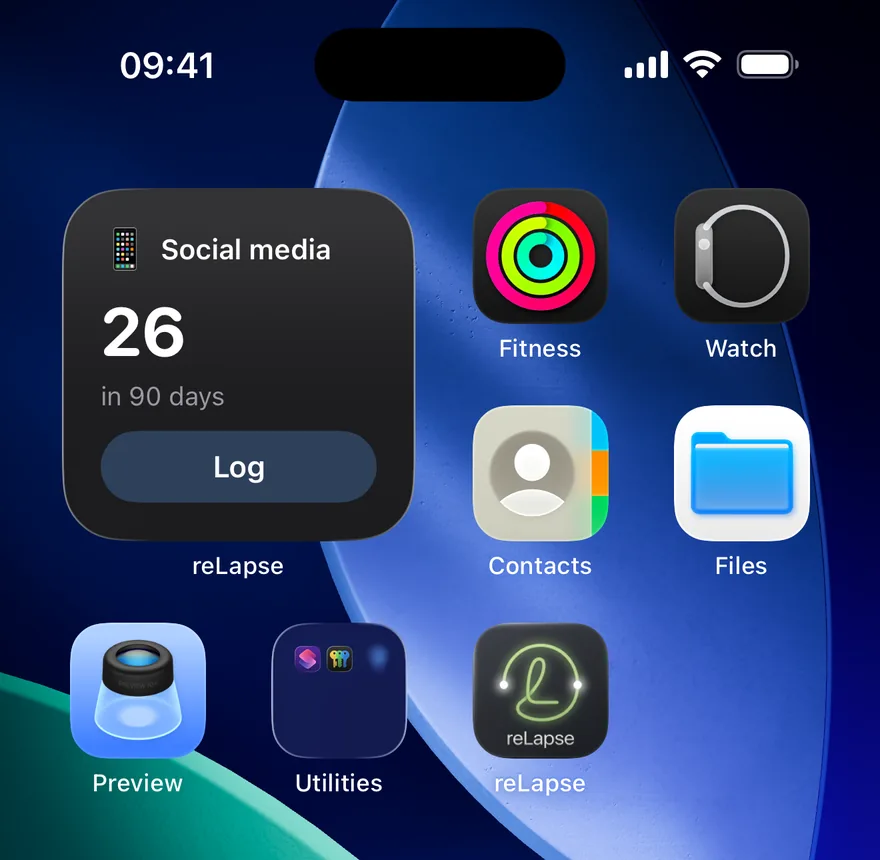
Home screen and Lock Screen widgets on both platforms. One tap logs, well inside two seconds, with a short cooldown so a fumbled tap can't record the same slip twice. Each widget shows every habit until you narrow it down to the ones you want.
The widget shows a count, never a running timer. A live clock on your home screen would turn your behaviour into a scoreboard.
See the pattern, not the guilt
A colour-coded calendar across every habit you track, so high-risk days surface on their own. Tap any day to see exactly what happened and the note you left.
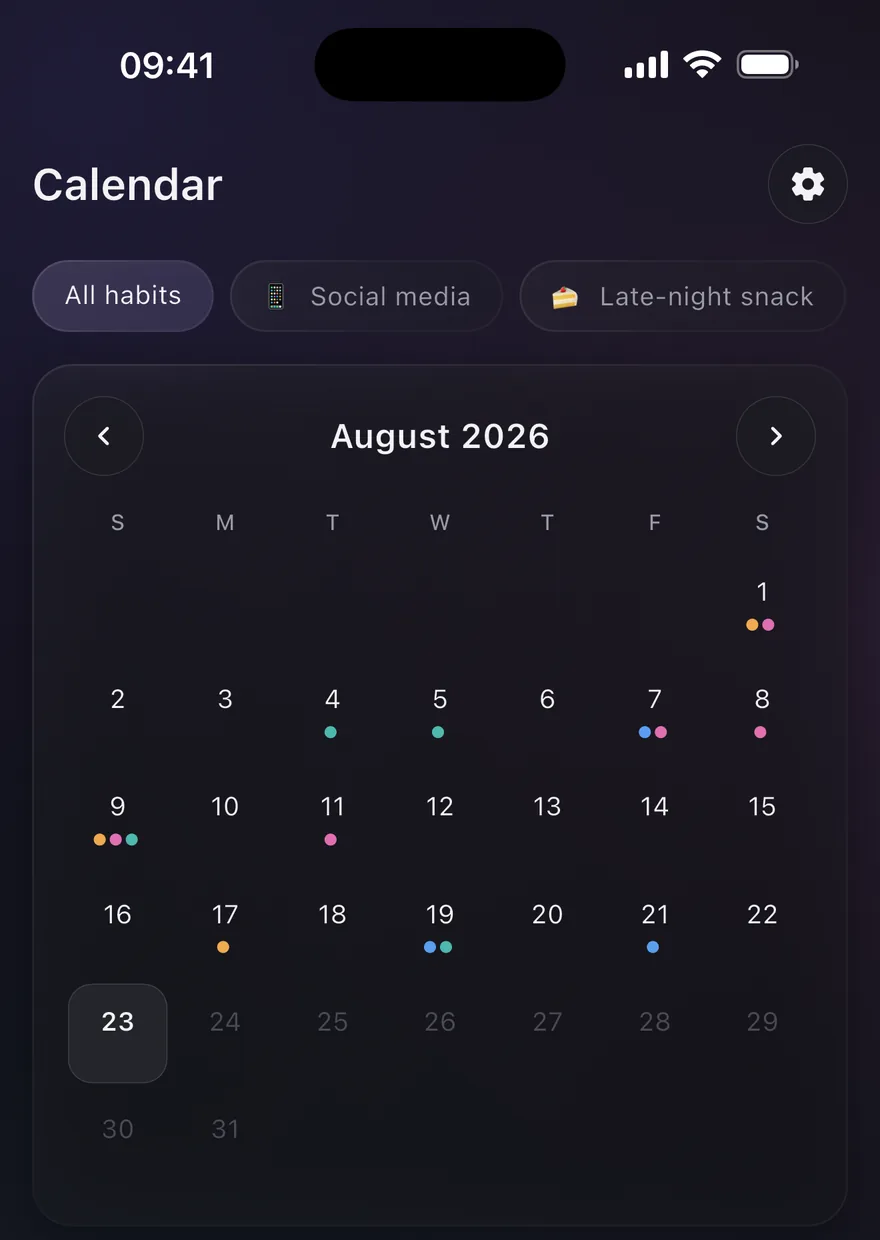
Patterns worked out on your phone
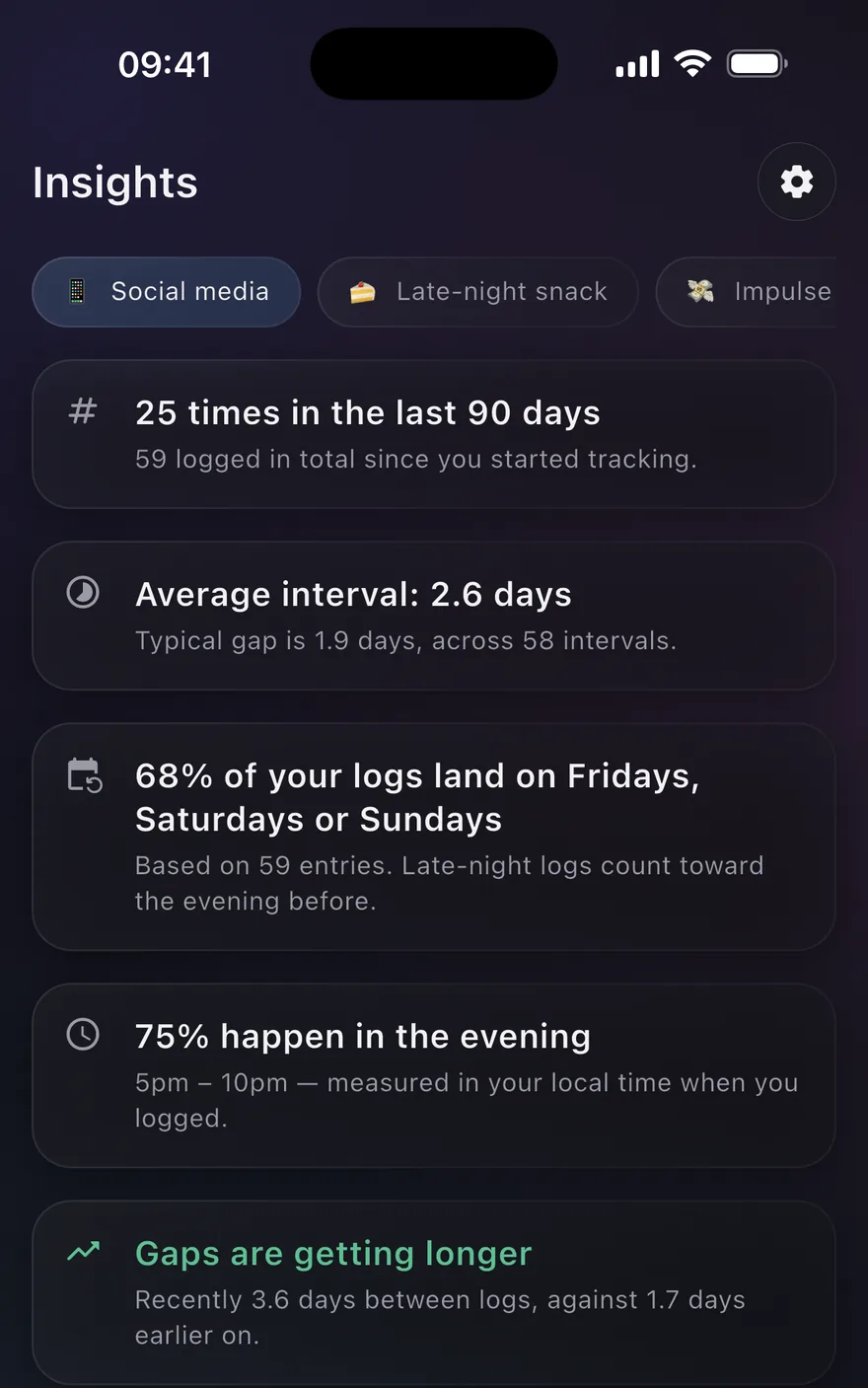
Which days, which times, whether the gaps are widening. Every calculation runs on the device — nothing about your habits is sent anywhere to produce it.
The engine stays quiet when there is not enough data. A confident wrong answer would be worse than no answer.
A heads-up before it happens
Pro can turn on a reminder shortly before a time you often log — the same on-device analysis Insights uses, just early enough to see it coming instead of reading about it afterwards.
It never names the habit, because a lock screen is not a private place, and it never encourages or scolds. It states the pattern and stops. Off until you turn it on, and scheduled entirely on the device.
 reLapse
now
reLapse
now
Around this time
You log more often now than at other hours.
Privacy
Your habits are the most private thing you could track. That is what I built for.
Encrypted on your device
Habits, entries and notes are stored in a SQLCipher database with AES-256 encryption. The key is generated on first launch and kept in the iOS Keychain or the Android Keystore.
No server holds your logs
There is no reLapse server at all — no database full of what you track, no backend of any kind. RevenueCat, as my payment processor, sees purchase and subscription state when you buy Pro; it never sees a habit name, a timestamp or a note.
Backups you control
A backup is one file, encrypted with a passphrase only you know before it leaves the app. Put it in iCloud, Drive or anywhere else — it is unreadable without that passphrase.
No accounts, ever
Install and track — there is nothing to sign up for. Buying or restoring Pro ties automatically to your Apple ID or Google Play account, and you can erase everything reLapse holds from inside the app at any time.
Pricing
Free for one habit. Pro for the rest.
Free
€0
- One tracked habit
- Hold-to-Log, in app and on the widget
- Calendar for the last 90 days
- Basic frequency count
- Static banner ads on three screens
Pro Popular
€19.99 / year
14-day free trial · also €3.99 / month or €49.99 once for lifetime access
- Unlimited habits
- Combined calendar across every habit
- On-device pattern insights
- Opt-in pattern reminders
- Notes on individual entries
- Encrypted backup and restore
- No ads, anywhere
Prices are shown in euro and are set per region by the App Store and Google Play, so what you see at checkout may differ. Subscriptions renew automatically until cancelled; you can cancel any time in your Apple or Google account settings. Full details are in the subscription terms.
Questions
Frequently asked
Does reLapse send my habit data anywhere?
No. Habits, entries and notes live in an encrypted database on your device. There is no reLapse server at all, and no analytics SDK reading them. RevenueCat, as a payment processor, sees purchase state when you buy or restore Pro — nothing about your habits.
Do I need an account?
No, and you can't — reLapse has no accounts. Buying or restoring Pro ties automatically to whichever Apple ID or Google Play account is on your device, with no sign-in step of its own.
Is this an addiction recovery app?
No. reLapse is a self-tracking tool, not a medical device. It does not diagnose, treat or give clinical advice, and it is not a substitute for professional help. If a behaviour is causing you harm, please talk to a qualified professional.
What do pattern reminders say, exactly?
“Around this time — You log more often now than at other hours.” That's it, always — it never names the habit, since a lock screen can be seen by anyone nearby, and it never tells you what to do. It's a Pro feature, off by default, scheduled entirely on the device.
What happens to my data if I switch phones?
Use Backup & restore in Settings. You choose a passphrase, the app encrypts a single file with it, and hands the file to the system share sheet. Restore it on the new device with the same passphrase. Lose the passphrase and the backup is unrecoverable — that is the tradeoff for me never being able to read it.
Why does the free tier show ads?
Static banners at the bottom of Home and Calendar and one in the Recent list, and never during logging or the Undo window. Habit names, entries and notes are never passed to the ad network. Pro removes ads entirely.
Can I delete everything?
Yes. Settings → Delete all data wipes the local database and the encryption key — there is no account to remove, because reLapse does not have one. More detail is on the data deletion page.